
Online Class: Computer Basics 101
no certificate
with CEU Certificate*
-
13Lessons
-
15Exams &
Assignments -
8,474Students
have taken this course -
6Hours
average time -
0.6CEUs
Course Description
Mastering the Digital Realm: A Comprehensive Guide to Computer Literacy
In today's rapidly evolving digital age, understanding computer basics is no longer an option; it's a necessity. Whether you're just setting out on your technological journey or you've hesitated in the past because of the daunting vastness of the digital universe, our meticulously crafted course, "Computer Basics," is tailored to give you a strong foundation and imbue confidence in every click.
Course Highlights:
-
A Tailored Experience: Whether you're a complete novice or someone seeking to solidify their foundational knowledge, our course has been designed to cater to all proficiency levels.
-
Rich Visual Guidance: Featuring an array of intuitive screenshots and real-world examples, we endeavor to make complex concepts easy to grasp.
-
Expansive Curriculum: Dive into 12 meticulously structured lessons, each one focusing on a critical facet of computer literacy. From understanding the anatomy of a computer to diving into the vast expanse of the internet, and even grasping the nuances of word processing - we've got it all covered!
-
Dual Platform Approach: In a world divided between Mac and PC enthusiasts, we bridge the gap by providing insights, tips, and tricks for both ecosystems, ensuring a holistic learning experience.
-
Engaging Assessments: Our interactive quizzes, incorporating True/False and multiple-choice questions, are not just evaluative but also serve as refresher modules. They've been designed to reinforce your understanding and highlight areas for potential review.
-
Empowered Decision Making: Venturing to buy a new computer? With dedicated modules on what to consider when purchasing and setting up your new device, we empower you to make informed choices that suit your specific needs.
-
Safety First: The digital realm, while vast and exciting, has its pitfalls. Our modules on setting up a safe workspace and understanding virus protection ensure you're well-equipped to navigate the web safely.
-
Interactive Media Mastery: Delve into the world of digital media. Learn not just to consume, but also to create, curate, and share with confidence.
Why "Computer Basics" is Your Ideal Starting Point:
"Computer Basics" isn't just a course; it's a journey. One that's been meticulously planned with you at its center. We understand the hesitations, the doubts, and the questions that come with diving into the world of computers, and we've transformed those challenges into a comprehensive learning adventure. With a perfect blend of theory, practical examples, and engaging activities, we ensure that by the end of this course, the digital realm will no longer seem daunting but will instead be a space of endless possibilities, ready for you to explore and conquer.
Embark on this empowering journey with us, and transform from a tentative beginner to a confident digital navigator. Because in the 21st century, being digitally literate is not just an advantage—it's essential.


Course Motivation

Computers used to be something reserved for those with jobs that required bookkeeping, word processing or other tasks. But today, computers are a part of everyday life, a necessity for school and for keeping up with communications.
When you're someone who hasn't had to work on a computer before, the idea of learning the basics can be overwhelming. The good news is that computers are more user friendly than ever before. Computer manufacturers know that users aren't always skilled in the finer technical details, so they have created programs and processes that will help users get on the computer and instantly make their functions usable.
In this course, you'll learn the basics of how to use a computer properly. Even if you have used computers in the past, you will find out more about how to use computers correctly, how to use them comfortably, and how to make the most of your time on a computer.
By the end of this course, you will not only have learned about computers, but you will also be tested at the end of the lessons so you can be certain that you understand the information correctly.
The best way to learn about computers is to put the things you learn into practice. Get in front of your computer, start using it - and you'll get the hands-on experience to be a part of this modern world of technology.
Parts of a Computer You Should Know
Types of Computers
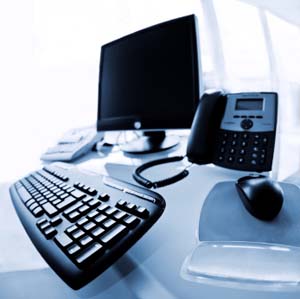
In general, there are two types of computers that you might use: desktops and laptops. While smartphones, tablets, and even calculators are technically computers, for the sake of this course, we are concerned with desktops and laptop computers only.
Desktops are the cheaper systems (most of the time) that you can use as a part of your computer needs. They are set up to be on a desk (hence the name), and they take up more space without being portable.
Laptops are compact versions of desktop computers, allowing you to have a computer that is portable--able to be moved where you need to go.
The pieces of a computer will vary, depending on the model you choose for your needs, but the main parts of a computer will be described in the following sections.
Monitor
A monitor allows you to see what you're doing. This is the screen that is either a separate piece for a desktop, or it's the part of the laptop you see when you open it up.
The monitor can be large or small, depending on your needs, and it can be covered in a coating that diminishes glare. If you're using a computer often, you might want to choose a larger screen, as this will allow you to see more and is easier on the eyes while you're focusing on your tasks.
Keyboard
A keyboard is where the keys are that include letters and numbers, just as you might find on a typewriter. You often find other keys that are specific for computer usage, such as the function keys -- F1, F2, F3, etc.
There also will be a power switch when batteries power the keyboard, or when the keyboard is powered by solar cells.
More often, you might find a keyboard connected to the computer by a USB cable, which will be slid into the USB port.
Keyboards are separate when they are a part of a desktop system, and they can also be connected externally to a laptop when it is more comfortable to use instead of the smaller one built into the laptop.
It can help to try out a few keyboards before you settle on one for your computer, since extensive typing can be cumbersome with a small keyboard. You want to make sure you choose one that is going to fit your hands as much as it fits your needs.
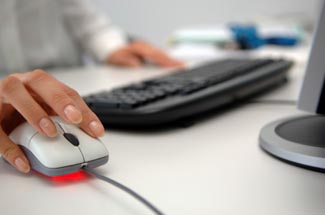
The mouse is the part of a computer system that allows you to move the cursor on the screen around the programs. When you move the mouse, you will notice a small arrow will also move around the screen. With the mouse buttons, you can click on different parts of the screen in order to access functions of a program.
A mouse can have two keys and a roller piece to help you move around, and to access links and icons on the screen.
Newer mice will have just one click function and you can move a finger around the top part of the mouse to move the cursor around the screen.
But, most often, and for beginners, a simple mouse is one that you move with your hand around a mouse pad (a small piece of material that you can purchase at any computer supply store) to access different functions. It's very intuitive and easy to learn with a little practice.
Hard Drive
One of the more difficult pieces of a computer to understand is the hard drive. What you want to know is that this is the main storage area of your computer. This is the piece that stores all of the information that allows you to do your work.
The hard drive is located in the large tower that comes with a traditional desktop computer, or it may be a part of a monitor when the system is newer and doesn't have a separate body. In a laptop, it is usually located in the space underneath the keyboard.
Other than the fan to cool the computer, the hard drive is the only other moving part in the computer. Because of this, the hard drive will get wear and tear and may vary life expectancies (usually 2-5 years).
If you should notice that your computer is not working as quickly as it once was, and you have had your hard drive for a long period of time, it might be a sign that it needs to be defragged or perhaps replaced.
Hardware
The hardware of a computer is the assemblage of systems that are inherent to the computer. These are the physical pieces of the computer that it is constructed of.
The easiest way to think of the hardware is to think about the idea of something being "hard." These are the physical systems of a computer, rather than the software that you might install into the computer to use different programs.
Software
Software is a broad term for programs that you might install on a computer. For example, word processing software is something that you would install on a computer (or it may come as a part of a computer).
If you want to customize your computer experience, you would get software discs, or you might download this information from a website.
The software is something that can be installed and removed, as you like, depending on your computing needs.
When you're first starting out on a computer, you don't need to install a lot of programs, and you shouldn't. Focus instead on using what the computer may already have installed, and then as you become more comfortable, add more programs to enhance your experience.
SUMMARY
While a computer might seem to be a complicated system of several technical pieces, you only need to know what the parts do in relation to the tasks you have to accomplish. Many computers are now set up to be usable from the time you turn them on. By being able to clearly and quickly identify what each piece is, you can easily start using your new computer.

- Completely Online
- Self-Paced
- 6 Months to Complete
- 24/7 Availability
- Start Anytime
- PC & Mac Compatible
- Android & iOS Friendly
- Accredited CEUs

Course Lessons


Lesson 1 : Parts of a Computer You Should Know
 Lesson 1 Video A
- Lesson 1 Video B
- Lesson 1 Video C
 Lesson discussions: Reasons for Taking this Course
 Complete Assignment: An Introduction
- Assessment: Lesson 1 : Parts of a Computer You Should Know
Lesson 2 : What to Look for When Buying
- Lesson 2 Video A
- Lesson 2 Video B
- Complete: Lesson 2 Assignment
- Assessment: Lesson 2 : What to Look For When Buying
Lesson 3 : Most Commonly Used Computer Terms
- Lesson 3 Video
- Assessment: Quiz for Lesson 3 - Most Commonly Used Computer Terms
Lesson 4 : Setting Up a Comfortable and Safe Work Area
- Lesson 4 Video
- Assessment: Lesson 4 : Setting Up a Comfortable and Safe Work Area
Lesson 5 : Virus Protection and Other Software That Should Be Set Up
- Lesson 5 Video
- Assessment: Lesson 4 : Virus Protection and Other Software That Should Be Set Up
Lesson 6 : Getting Your Computer Up and Running
- Lesson 6 Video
- Assessment: Lesson 6 : Getting Your Computer Up and Running
Lesson 7 : Surfing the "Net"
- Lesson 7 Video
- Assessment: Lesson 7 : Surfing the "Net"
Lesson 8 : Sending Email
- Lesson 8 Video
- Assessment: Lesson 8 : Sending Email
Lesson 9 : Advanced Email
- Lesson 9 Video
- Assessment: Lesson 9 : Advanced Email
Lesson 10 : Use Your Media Methods
- Lesson 10 Video
- Assessment: Lesson 10 : Use Your Media Methods
Lesson 11 : Pictures
- Lesson 11 Video
- Assessment: Lesson 11 : Pictures
Lesson 12: Word Processing Basics
- Lesson 12 Video
- Assessment: Lesson 12 : Word Processing Basics
Lesson 13 : Finding Everything
- Lesson 13 Video
- Lesson discussions: What do you think about this course?; Program Evaluation Follow-up Survey (End of Course); Course Comments
- Assessment: Lesson 13 : Finding Everything
Learning Outcomes
- Describe basic computer equipment and basic computer terminology.
- Describe the processes involved in managing data.
- Demonstrate basic Internet usage.
- Demonstrate email skills.
- Summarize computer shortcuts and tips.
- Perform basic file operations.
- Demonstrate how to quickly access frequently used programs.
- Summarize steps to take when the computer is not working properly or needs repair.
- Demonstrate mastery of lesson content at levels of 70% or higher.
Additional Course Information
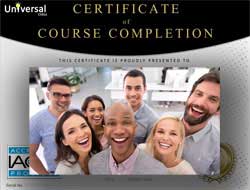
- Document Your Lifelong Learning Achievements
- Earn an Official Certificate Documenting Course Hours and CEUs
- Verify Your Certificate with a Unique Serial Number Online
- View and Share Your Certificate Online or Download/Print as PDF
- Display Your Certificate on Your Resume and Promote Your Achievements Using Social Media
Choose Your Subscription Plan
No Certificate / No CEUs
This course only
| Includes certificate | X |
| Includes CEUs | X |
| Self-paced |

|
| Instructor support |
|
| Time to complete | 6 months |
| No. of courses | 1 course |
Certificate & CEUs
This course only
| Includes certificate |
|
| Includes CEUs |
|
| Self-paced |
|
| Instructor support |
|
| Time to complete | 6 months |
| No. of courses | 1 course |
Certificates & CEUs
Includes all 600+ courses
| Includes certificate |
|
| Includes CEUs |
|
| Self-paced |
|
| Instructor support |
|
| Time to complete | 12 Months |
| No. of courses | 600+ |
Certificates & CEUs
Includes all 600+ courses
| Includes certificate |
|
| Includes CEUs |
|
| Self-paced |
|
| Instructor support |
|
| Time to complete | 24 Months |
| No. of courses | 600+ |
Student Testimonials
- "Thank you for letting me join your class and teaching me so much about computer technology. I found this all to be very helpful and I will use it moving forward and have fun using computers." -- Oksana B.
- "I enjoyed this class and I learned a lot. I plan on taking another computer class with the same instructor." -- Chantel T.
- "The instructor was very complimentary, when I did well and also gave excellent feedback on the questions I missed." -- Alvin O.
- "I have liked the courses offered for basic computer learning because they have taught me things I had not known before. I also acknowledge and appreciate the Instructor for a work well done." -- Collins W.
- "Although I already knew most of the material covered in this course, I will highly recommend this course to my family, friends, and co-workers who are 'computer illiterate'. This is the perfect course for a beginner or an older adult who simply has trouble learning new things." -- Catherine A.
- "It was really fun to take this course, I learned a lot." -- Darian B.
- "I appreciated the instructor's comments and promptness in grading the tests." -- Dorothy G.
- "Thanks for the experience, it was very informative." -- Gary D.
- "The instructor was very precise and helpful in explaining the issues that I did not understand." -- Janet A.
- "Instructor gets an A++, always encouraging, always an answer!" -- Wendy N.
Related Courses
-
 32 hours
3.20 CEUs
Microsoft Office: Word, Excel, PowerPoint and Outlook
+ More Info
32 hours
3.20 CEUs
Microsoft Office: Word, Excel, PowerPoint and Outlook
+ More Info
-
 26 hours
2.60 CEUs
Ultimate Excel Training Bundle
+ More Info
26 hours
2.60 CEUs
Ultimate Excel Training Bundle
+ More Info
-
 11 hours
1.1 CEUs
Introduction to CSS
+ More Info
11 hours
1.1 CEUs
Introduction to CSS
+ More Info
-
 8 hours
0.8 CEUs
Adobe Lightroom 101
+ More Info
8 hours
0.8 CEUs
Adobe Lightroom 101
+ More Info
-
 8 hours
0.8 CEUs
MySQL
+ More Info
8 hours
0.8 CEUs
MySQL
+ More Info
-
 8 hours
0.8 CEUs
Adobe Premiere 101
+ More Info
8 hours
0.8 CEUs
Adobe Premiere 101
+ More Info
-
 20 hours
2.0 CEUs
Photoshop Elements 101
+ More Info
20 hours
2.0 CEUs
Photoshop Elements 101
+ More Info
-
 6 hours
0.6 CEUs
Adobe Captivate
+ More Info
6 hours
0.6 CEUs
Adobe Captivate
+ More Info
-
 6 hours
0.6 CEUs
How to Start and Run an Online Business
+ More Info
6 hours
0.6 CEUs
How to Start and Run an Online Business
+ More Info
-
 7 hours
0.7 CEUs
Microsoft Excel Level 3
+ More Info
7 hours
0.7 CEUs
Microsoft Excel Level 3
+ More Info
-
 7 hours
0.7 CEUs
Google Sheets
+ More Info
7 hours
0.7 CEUs
Google Sheets
+ More Info
-
 17 hours
1.7 CEUs
Introduction to SQL
+ More Info
17 hours
1.7 CEUs
Introduction to SQL
+ More Info
-
 13 hours
1.3 CEUs
Adobe Illustrator 101
+ More Info
13 hours
1.3 CEUs
Adobe Illustrator 101
+ More Info
-
 5 hours
0.5 CEUs
Internet Marketing Basics
+ More Info
5 hours
0.5 CEUs
Internet Marketing Basics
+ More Info
-
 14 hours
1.4 CEUs
QuickBooks 101
+ More Info
14 hours
1.4 CEUs
QuickBooks 101
+ More Info
-
 9 hours
0.9 CEUs
Microsoft Project Level 1
+ More Info
9 hours
0.9 CEUs
Microsoft Project Level 1
+ More Info
-
 8 hours
0.8 CEUs
Adobe InDesign 101
+ More Info
8 hours
0.8 CEUs
Adobe InDesign 101
+ More Info
-
 7 hours
0.7 CEUs
Google Slides
+ More Info
7 hours
0.7 CEUs
Google Slides
+ More Info
-
 6 hours
0.6 CEUs
Cybersecurity 101
+ More Info
6 hours
0.6 CEUs
Cybersecurity 101
+ More Info
-
 14 hours
1.4 CEUs
QuickBooks Online
+ More Info
14 hours
1.4 CEUs
QuickBooks Online
+ More Info
-
 12 hours
1.2 CEUs
Adobe After Effects
+ More Info
12 hours
1.2 CEUs
Adobe After Effects
+ More Info
-
 8 hours
0.8 CEUs
Microsoft PowerPoint Level 1
+ More Info
8 hours
0.8 CEUs
Microsoft PowerPoint Level 1
+ More Info
-
 12 hours
1.2 CEUs
Adobe Photoshop
+ More Info
12 hours
1.2 CEUs
Adobe Photoshop
+ More Info
-
 6 hours
0.6 CEUs
Google Docs
+ More Info
6 hours
0.6 CEUs
Google Docs
+ More Info
-
 5 hours
0.5 CEUs
Microsoft Outlook Level 1
+ More Info
5 hours
0.5 CEUs
Microsoft Outlook Level 1
+ More Info
-
 6 hours
0.6 CEUs
Microsoft Publisher Level 1
+ More Info
6 hours
0.6 CEUs
Microsoft Publisher Level 1
+ More Info
-
 7 hours
0.7 CEUs
Final Cut Pro X
+ More Info
7 hours
0.7 CEUs
Final Cut Pro X
+ More Info
-
 12 hours
1.2 CEUs
Microsoft Excel Level 1
+ More Info
12 hours
1.2 CEUs
Microsoft Excel Level 1
+ More Info
-
 9 hours
0.9 CEUs
Dreamweaver 101
+ More Info
9 hours
0.9 CEUs
Dreamweaver 101
+ More Info
-
 7 hours
0.7 CEUs
Microsoft Word Level 1
+ More Info
7 hours
0.7 CEUs
Microsoft Word Level 1
+ More Info
-
 7 hours
0.7 CEUs
Computer Literacy Level 1 - Computer Basics
+ More Info
7 hours
0.7 CEUs
Computer Literacy Level 1 - Computer Basics
+ More Info
-
 8 hours
0.8 CEUs
Microsoft Access Level 1
+ More Info
8 hours
0.8 CEUs
Microsoft Access Level 1
+ More Info
-
 6 hours
0.6 CEUs
Computer Literacy Level 3 - Living and Working Online
+ More Info
6 hours
0.6 CEUs
Computer Literacy Level 3 - Living and Working Online
+ More Info
Loading...



Follow Us Online