Photography 101: Beginner to Intermediate
Capture Life, Frame by Frame: Elevate Your Photography Skills!


 17 Hours average completion time
 1.7 CEUs
 16 Lessons
 21 Exams & Assignments
 404 Discussions
 16 Videos
 27 Reference Files
 162 Articles
 Mobile Friendly
 Last Updated June 2026

Ready to capture the world through your lens and tell your story through breathtaking images? Whether you're just starting out or looking to elevate your photography skills, "Photography 101: Beginner to Intermediate" is the perfect self-paced, online course to help you on your journey. In this comprehensive, engaging course, you'll explore the essential techniques and strategies used by professional photographers-all presented in an easy-to-understand format designed to help you achieve remarkable results right away.
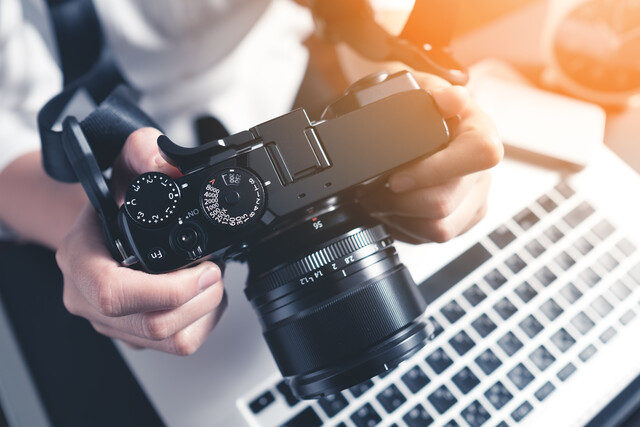
This course is all about helping you master the camera you already own, whether it's a smartphone, a compact digital camera, or a high-end DSLR. You don't need to have the fanciest gear to take stunning photos, and with the knowledge you'll gain here, you'll soon be able to transform ordinary moments into extraordinary images. This course goes beyond just teaching you how to point and click-it's designed to give you the skills and confidence you need to make every shot count.
Why Photography 101?
Photography is more than just capturing a moment. It's about telling a story, evoking emotion, and creating a visual masterpiece that can last a lifetime. But to achieve that level of artistry, it's essential to understand the fundamental principles behind photography. In "Photography 101: Beginner to Intermediate," you'll get a solid foundation in the basics and beyond, with expert guidance every step of the way.
One of the best features of this course is that it's completely self-paced. You can fit it into your busy life, progressing through the material at your own speed. There's no pressure, no deadlines-just you, your camera, and a wealth of knowledge that's waiting to be unlocked. Whether you have 10 minutes a day or a couple of hours to dedicate, this course adapts to your schedule.
What Will You Learn?
By the end of this course, you'll have the technical know-how and creative confidence to take pictures that truly stand out. You'll start with the fundamentals of camera operation and progress to more advanced techniques like managing exposure, understanding lighting, and composing your shots for maximum impact.
-
Master Your Camera: You'll learn everything about the type of camera you own, from smartphone cameras to advanced DSLRs, and how to get the most out of them. The course covers camera settings, modes, and functions, allowing you to feel fully in control no matter the model you use.
-
Camera Buying Guide: Thinking about upgrading your camera or getting your first "serious" camera? The course provides a detailed guide on what to look for when purchasing a new camera, taking the guesswork out of finding the right model for your needs.
-
Aperture and Shutter Speed: Dive into the art and science of aperture and shutter speed. These two essential elements control the amount of light entering your camera and how your camera captures motion. With this knowledge, you'll be able to shoot in a variety of conditions and make creative decisions that enhance your photos.
-
The Power of Exposure: Discover the critical relationship between ISO, aperture, and shutter speed-commonly known as the "exposure triangle." Learn how to manipulate these settings to achieve properly exposed photos in any lighting condition. Whether you're shooting in bright sunlight or low light, you'll know how to make your camera work for you.
-
Depth of Field: Learn how to use depth of field to your advantage, blurring backgrounds or keeping everything in focus to highlight exactly what you want. This lesson is perfect for those wanting to master portraits, macro photography, or scenic landscapes.
-
Lighting Techniques: Lighting is the heart and soul of photography. This course will demystify how light affects your images and how you can manipulate both natural and artificial light to achieve the desired mood and tone. You'll explore different times of day, weather conditions, and how to use tools like reflectors and diffusers to control your lighting environment.
-
Flash Photography: Not all lighting situations are ideal, and sometimes, you need a little help. Learn how to use your camera's flash effectively, whether it's built-in or external. Understand when to use flash to avoid harsh shadows, or create dramatic effects in your images.
-
Choosing the Right Lens: Your lens choice can make a world of difference in your photography. In this course, you'll learn how different lenses affect the look and feel of your photos, from wide-angle to telephoto lenses. Even if you're shooting on a smartphone, you'll learn about the benefits of add-on lenses.
-
Steady Shooting: A steady hand is crucial for getting sharp images. We'll cover techniques for keeping your camera steady-whether you're using your body, a tripod, or other equipment-so you can avoid blurry shots and capture clear, crisp photos every time.
-
Creative Composition: Great photos don't just happen-they're designed. This course will teach you how to arrange the elements in your photos for maximum impact. You'll explore the rule of thirds, leading lines, framing, and other compositional techniques that will help you transform ordinary shots into visually stunning images.
-
Digital vs. Film: While digital photography dominates today, this course also touches on the advantages and nuances of film photography for those who are interested. You'll learn the differences between these two mediums and how to choose the right one for your creative goals.
Real-World Learning
One of the most exciting aspects of this course is that it's filled with real-life examples from amateur photographers just like you. These case studies offer insights into the journey of learning photography, providing tips and tricks that are practical and easy to implement. You'll gain a deeper understanding of how these photographers overcame challenges, made creative breakthroughs, and continue to improve their skills.
This course doesn't just stop at teaching you how to operate your camera; it's designed to inspire you. You'll have access to stunning visual comparisons that illustrate how small adjustments in settings can make a world of difference in your photos. As you progress, you'll find yourself more confident and creative, with the ability to experiment with new techniques and settings.
A Fun and Engaging Learning Experience
Forget about being overwhelmed by confusing technical terms. This course is all about making photography approachable, fun, and rewarding. You'll learn at your own pace, with engaging lessons that explain photography concepts in a way that anyone can understand. The hands-on approach means you'll be practicing what you learn right away, reinforcing your skills as you go.
Whether you want to capture stunning landscapes, document family moments, or start building a photography portfolio, this course provides you with the skills and knowledge to make it happen.
Perfect for Everyone
Photography 101 is designed for photographers of all levels. If you're a beginner, this course will give you the foundation you need to feel comfortable with your camera. If you're more experienced, you'll pick up advanced techniques that will take your skills to the next level. The course is also perfect for anyone looking to turn their passion for photography into a professional endeavor or a rewarding hobby.

- Post-processing photo enhancements
- Flash photography proficiency
- Mastering exposure control
- Steady shooting techniques
- Digital and film photography knowledge
- Understanding camera settings and functions
- Lighting management skills
- Effective depth of field use
- Proper lens selection and use
- Creative composition techniques



 Homeschooling
  Test Preparation
  Teacher Resources
  Health & Medicine
  Grammar Help
Marketing
Grammar Help
Marketing  Paranormal Studies
  Gardening
  Microsoft Office Courses